pybot labs
Pybot Robotics Kit - Powered by Beaver Board
Pybot Robotics Kit - Powered by Beaver Board
Couldn't load pickup availability
Build a real robot. Program it with blocks or Python. No cables, no installs.
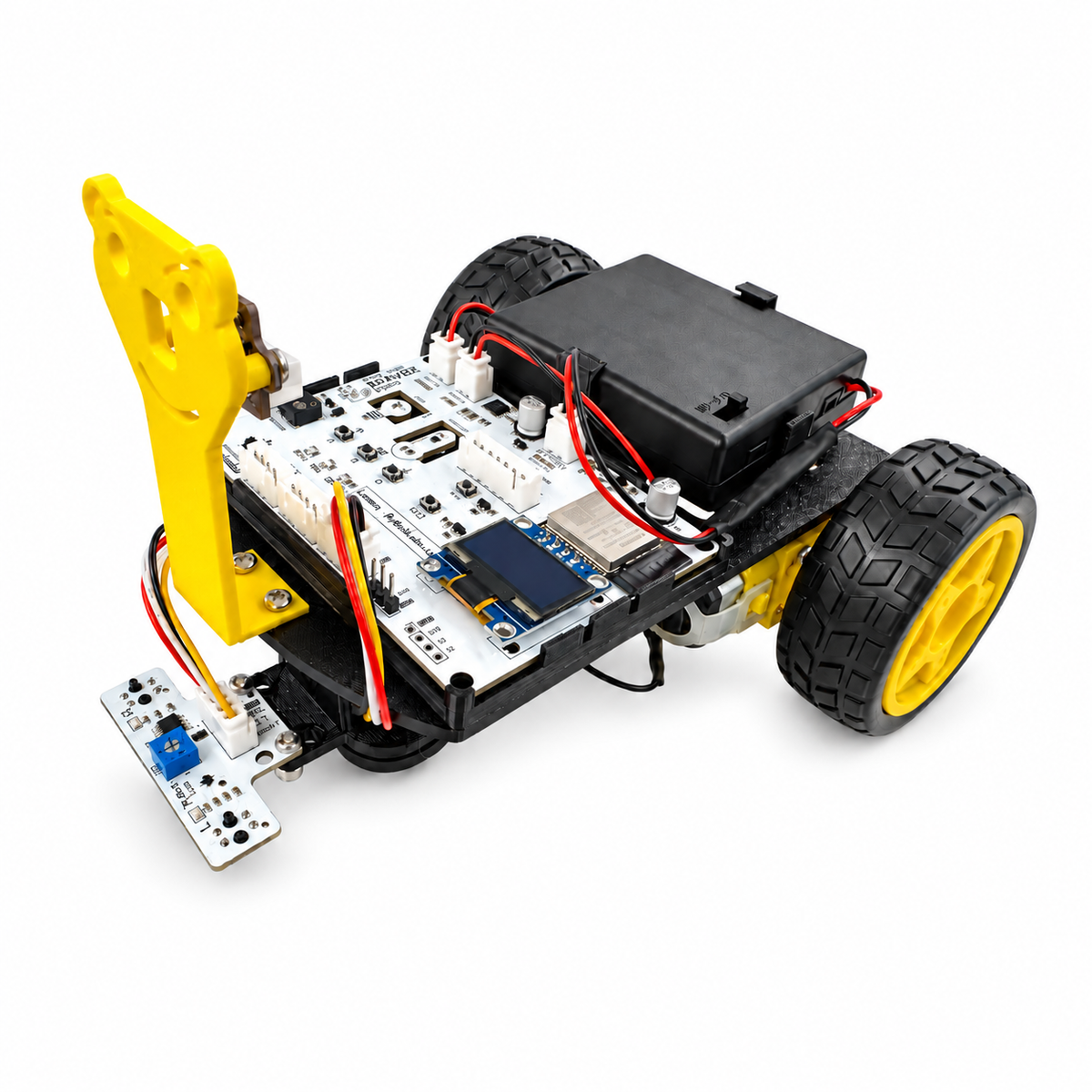
The PyBot Robotics Kit gives students everything they need to assemble a Bluetooth-programmable robot and bring it to life. Snap the robot together with one screwdriver. Then open PyBot Labs in Chrome or Edge, drag and drop code blocks (or write MicroPython), and send your program to the robot wirelessly.
The kit is designed for ages 8 and up. It suits beginners and also has room to grow, from blinking an LED to line-following and obstacle-avoiding robots.
Why you'll love it
- Zero setup. Firmware comes pre-loaded. Power on, connect over Bluetooth, and start coding.
- No USB cable needed. Code uploads wirelessly from the browser, and the battery pack powers everything.
- Blocks to Python. Start with visual blocks, then move on to real MicroPython when you're ready.
- Guided lessons. Step-by-step tutorials cover LEDs, sensors, motors, and finished robot projects.
- Designed in Canada by PyBot Labs.
What's in the box
The brain: Beaver Board (custom ESP32 board, designed in Canada)
- Bluetooth-enabled ESP32 microcontroller
- 128×64 OLED display
- 3 programmable LEDs (red, yellow, green)
- 3 push buttons
- Piezo buzzer for tones and songs
- Light sensor
- Temperature and humidity sensor
- Built-in dual motor driver
- Ports for motors, sensors, battery, a servo, and expansion
Robot parts
- 1 × 3D-printed robot chassis, with motors pre-installed
- 2 × TT gear motors
- 2 × 65 mm drive wheels with rubber tyres
- 1 × ball caster wheel for smooth front support
- 1 × 3D-printed Beaver Face with a LiDAR distance sensor
- 1 × line-following sensor module (custom PyBot Labs board with two infrared sensors, indicator LEDs, and an adjustable sensitivity dial)
- 1 × 4×AA battery holder with ON/OFF switch
Cables and hardware
- 2 × 4-wire JST cables (line sensor and distance sensor)
- 6 × M3 screws and 6 × M3 nuts (plus 2 spare of each)
- 4 × M2.5 screws and 4 × M2.5 nuts (motor mounting)
- 1 × Phillips screwdriver. It's the only tool you need.
What you can build
Robots
- Line-following robot that tracks a black line on a white surface
- Obstacle-avoiding robot that uses LiDAR to stop or steer around objects
- Robot dancer with choreographed moves, lights, and sound
- Remote-controlled robot that you drive from the browser
- Alarm robot that flashes and buzzes when something gets too close
Board projects (no assembly needed)
- Reaction-time game
- Music player and buzzer songs
- Digital thermometer and humidity monitor
- Light-activated night light
- Live distance readout on the OLED screen
Learn real skills
Students pick up loops, variables, conditionals, functions, sensor input, and motor control. These skills carry over to Python and to engineering projects. They're also useful for tech-program applications and for STEM clubs or classrooms.
What you'll need (not included)
- 4 × AA batteries
Share